بعد تهيئة إعدادات خلاصة الموقع، تكون مدونتك جاهزة الآن ليتم الترويج لها في جميع أنحاء العالم. أدخل ببساطة أحد عناوين URL التالية في قارئ الخلاصات المفضل لديك، حيث سيتم توجيه محتوى مدونتك وتحديثه تلقائيًا.
ملاحظة: تأكد من استبدال عنوان المدونة الصحيح لاسم المدونة والتصنيف الذي تهتم به في اسم التصنيف. لا تعمل خلاصات الموقع مع المدونات الخاصة أو المستضافة باستخدام برتوكول نقل الملفات.
الخلاصة الكاملة للموقع:
- Atom 1.0: http://blogname.blogspot.com/feeds/posts/default
RSS 2.0: http://blogname.blogspot.com/feeds/posts/default?alt=rss
ملاحظة: يتم تمكين الوقت الفعلي لخلاصات الموقع الكاملة هذه، ويمكن لمطوّري البرامج الاشتراك في تحديثات زمن استجابة أقل من خلال استخدام
PubSubHubbub protocol.
خلاصة التعليقات فقط:
Atom 1.0: http://blogname.blogspot.com/feeds/comments/default
RSS 2.0: http://blogname.blogspot.com/feeds/comments/default?alt=rss
خلاصة الموقع الخاصة بالتصنيف:
Atom 1.0: http://www.googleblog.blogspot.com/feeds/posts/default/-/privacy
RSS 2.0: http://www.googleblog.blogspot.com/feeds/posts/default?alt=rss/-/privacy
خلاصة التعليقات على مشاركة فردية:
- Atom 1.0: http://blogname.blogspot.com/feeds/postId/comments/default
RSS 2.0: http://blogname.blogspot.com/feeds/postId/comments/default?alt=rss
ملاحظة: يمكنك العثور على معرف المشاركة لمشاركة فردية من خلال علامة التبويب النشر | تعديل المشاركات. مرر الماوس ببساطة فوق الرابط "تعديل" بجوار المشاركة المحددة، وسيتم عرض معرف المشاركة في شريط الحالة لمتصفحك.
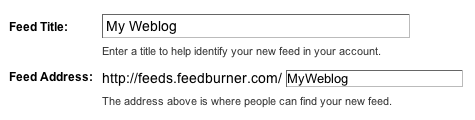 The Create or Sign In To Your FeedBurner Account page should appear.
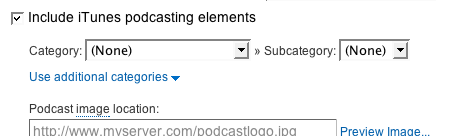 When you are finished, click Next ». Configuration options for FeedBurner stats services should appear.